Read The Docs Theme for Jekyll & GitHub Pages
This is a port of the Read The Docs theme to Jekyll, specifically developed be used with GitHub Pages.
[!NOTE] You are previewing 👀 the theme right now as you navigate this documentation!
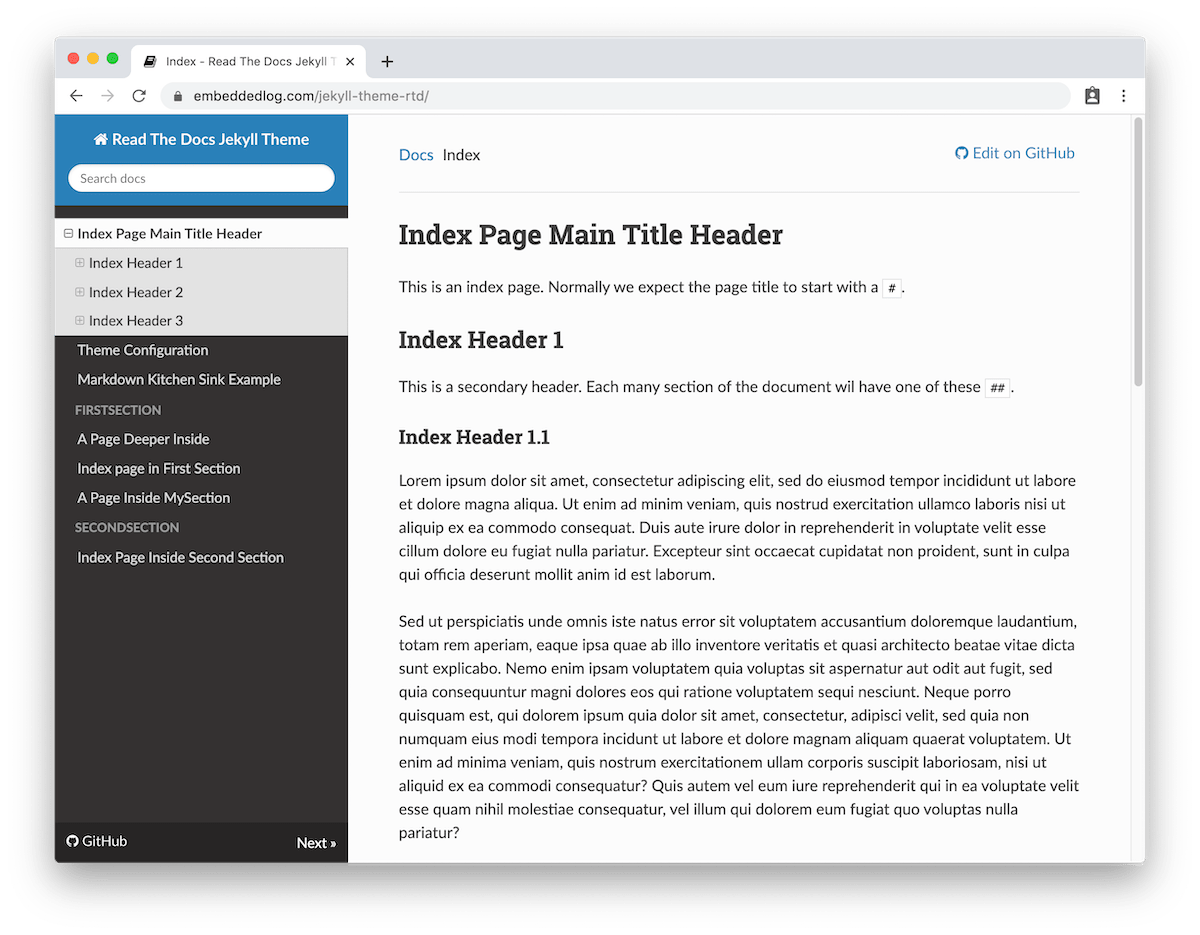
The original Read The Docs theme was created for the Sphinx documentation generator, and so it is designed specifically for docs.
Combined with GitHub Pages it’s a great and easy way to document your projects!
Features:
- 🖥️ Read the Docs responsive design with a collapsible sidebar navigation
- 🐙 Specifically developed to be compatible with GitHub Pages out of the box
- 📁 Simply create a
docsfolder with a_config.ymland your markdown files - 🔗 Automatic GitHub link, “Edit on GitHub”, and commit links (optional)
- 🏷️ Latest release tag displayed in the sidebar (optional)
- 📁 Simply create a
- 🌐 External links in the navigation bar
- 🔍 Built-in search functionality via Lunr.js
- 🖍️ Source code highlighting via highlight.js, with a copy-to-clipboard button
- 🧜 Diagram rendering support via Mermaid
- 📢 Admonition callouts via aDOMonitions
- ⚓ Heading anchor links on hover via AnchorJS
- 🔘 Button styling via links with additional attributes
- 🏷 Labels for status, releases, or other metadata
- ⚙️ Configurable with custom options in
_config.ymland front matter - 📣 Social media metadata and preview images
- 🔎 SEO friendly meta tags and canonical URLs
- 🧑💻 TODO 🧑💻: 🧮 Mathematical expressions rendering
What Can You Find Around Here
- Check out the Quick Start Guide to get up and running.
- If some of the terms thrown around here don’t make a lot of sense, check out the What is All This? (FAQs) page.
- To find out more about all the theme available options see the Theme Configuration and the Pages Configuration pages.
- The Demo Pages contain generic content to showcase how the standard Markdown and additional features are rendered with this theme.
- The Debug Config page documents a utility file you can copy into your site to inspect every Jekyll & Liquid variable at build time.
🧑💻 Work in Progress!
New features are still being developed but the theme is already usable and v1.4.0 is the latest release 🎉.
Any possible breaking change would be released as a major revision
(i.e. v2, v3, etc). A breaking change would be a change in existing config
options, or a significant visual style change, while new features and
settings will be released a minor revisions (i.e. v1.1, v1.2, etc).
So, it is recommended to lock the theme version in the _config.yml file:
remote_theme: carlosperate/jekyll-theme-rtd@v1.4.0
Missing features are listed in the GitHub issues with the enhancement or new feature labels, and any known issues are listed with the bug label.
Contributions are very welcomed!